Step by Step Guide to use USB Modem on Ubuntu
- Download Sakis3G Script : click here to download
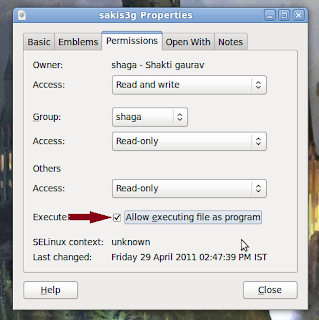
- Now go to Downloaded file, extract it and make it executable : click on file and go to permission tab and mark allow execute file as program
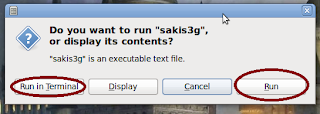
- Now double click on file (sagks3G) and select : Run or Run in Terminal
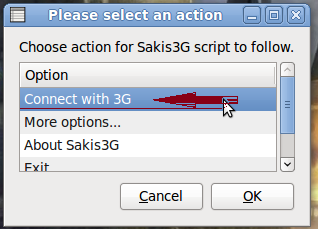
- Select Connect with 3G
[After running 3G file, it is also possible that you will see another window asking you for select a device from menu.Select usb device.]
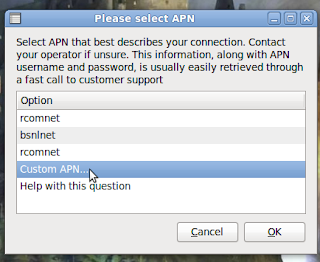
- Select your APN or click on Custom APN And Enter your APN
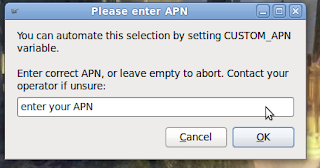
- After this step prompt windows'll appear and ask for Username & password. So enter anything (abc etc.). After few moment a message will be prompt to say you are connected. Click on connection information to see details.
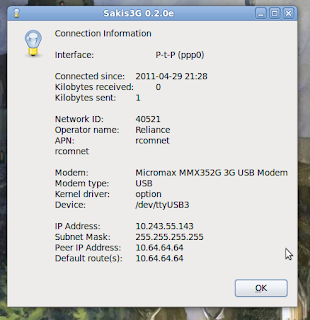
DONE!!!! & HAPPY INTERNETing!!


[After running 3G file, it is also possible that you will see another window asking you for select a device from menu.Select usb device.]


DONE!!!! & HAPPY INTERNETing!!